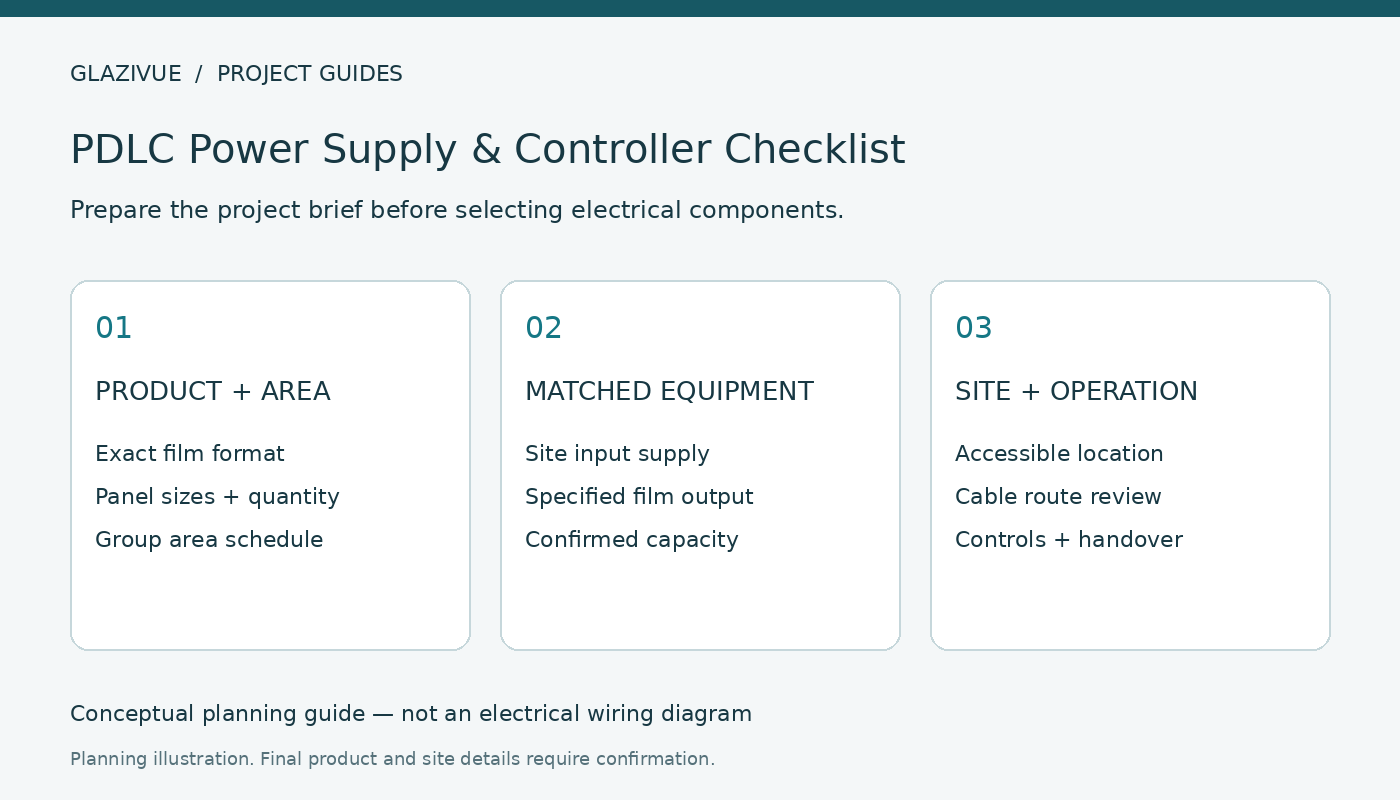
A PDLC smart film power supply should be selected for the exact film and project, rather than chosen from glass area alone. Before requesting a quotation, record the film format, panel dimensions, switching groups and available site supply. Ask the supplier to identify compatible equipment and have a qualified local electrical professional review the installation.
Conventional GlaziVue PDLC operates as POWER ON · CLEAR / POWER OFF · FROSTED. This article is a procurement and planning checklist, not an electrical wiring guide. It does not establish an operating voltage, capacity or certification for an unconfirmed controller.
1. Distinguish the film, power supply and user controls
The film is the switchable privacy surface. Its specified electrical equipment provides the output required by that product. A wall control, receiver or other interface provides the requested operating method. These functions may be combined in a particular unit, but the exact configuration must be identified in the quotation.
Do not assume a generic power adapter or a controller from another film brand is interchangeable. Request the product-specific installation instructions and the matched equipment identification before local electrical work is planned. Film should not be connected directly to building mains.
2. Identify the product and panel schedule
Record whether the project uses self-adhesive film on existing glass, lamination-ready film or a finished glass assembly. Include the proposed model, quantity and dimensions of every piece. Review GlaziVue product formats and model routes if the specification is still being selected.
Keep a unique reference for each panel and identify fixed panes separately from moving doors. The office glass measurement guide shows a panel schedule. Mark estimates clearly; preliminary budgeting dimensions are not approved production sizes.
3. Describe switching groups and operating behavior
Group labels help the supplier understand the requested operation. For example, a fictional office layout could assign P1 and P2 to Group A, with D1 as a separately reviewed door. This example explains the brief; it is not approval of a circuit or controller capacity.
For each group, list the panel IDs and nominal area, then describe whether panes should switch together or independently. The supplier must confirm equipment capacity and any conditions applying to that rating. Do not calculate a permitted load using an assumed power-per-area figure.
| Brief item | Information to provide | Confirmation required |
|---|---|---|
| Product | Format and exact proposed model | Compatible electrical equipment |
| Panels | IDs, dimensions, quantity and group labels | Capacity and group arrangement |
| Site supply | Country and available electrical supply | Input suitability and local requirements |
| Operation | Switch location and requested control method | Supported interface and equipment scope |
| Installation | Proposed equipment location and cable route | Qualified site review and instructions |
4. Confirm site input and specified film output separately
The input supply available in the building and the output specified for the film are different parts of the system. Ask the supplier to document both for the selected equipment. State the delivery country and proposed installation location instead of assuming that a plug, rating or supplied accessory is appropriate.
For a US project, request applicable documentation for the exact component and discuss local installation requirements with the responsible electrical professional. A certification or marking for one component should not be described as approval of the complete installed system.
5. Review location, cable access and moving doors
Provide a sketch showing the proposed equipment location and the panes it serves. Ask the local professional to review access, environmental suitability, manufacturer requirements and servicing arrangements. A concealed location that cannot be inspected or serviced should be flagged before the order is finalized.
Moving glass needs its own review. The office glass door checklist covers movement, hardware and connection questions. Do not apply a fixed-panel connection assumption to a hinged or sliding door.
6. Treat remote and automated controls as requested features
Specify how users should operate the glass. A wall switch, remote control or integration request needs confirmation against the selected equipment. Do not assume that Wi-Fi, voice operation, dimming or a building automation interface is included or supported.
Define normal operation, the desired unused-room state and the expected behavior after power returns. PDLC being frosted without power does not determine every detail of receiver memory or restart logic. Request written confirmation rather than inferring behavior from a sample demonstration.
7. Include handover information in the scope
Before ordering, confirm which electrical components and accessories are supplied, who completes site wiring, and which instructions accompany the delivery. Keep the approved panel schedule, product identification, controller details and final drawing revision together.
For meeting-room layouts, use the conference-room privacy and control planning guide. Compare the full scope using the office smart film quotation checklist. Sample appearance can be reviewed with the sample evaluation guide, but a sample does not approve the full electrical design.
Frequently asked questions
Can I choose a power supply from total glass area?
Area helps prepare the brief, but product compatibility, groups, capacity conditions and site requirements also need confirmation.
Can a standard adapter operate PDLC film?
Do not assume interchangeability. Use the equipment specified for the selected product and follow its instructions.
Does power off mean frosted?
For the conventional GlaziVue configuration described here, yes. Confirm restart behavior separately for the selected control system.
Is automated control included?
Only if the exact capability, compatible components and supplied scope are confirmed in the written quotation.
Request a matched product and equipment quotation
Submit your project with the product format, panel schedule, requested groups, location and control preference. GlaziVue assists with product selection and supply quotations; qualified local professionals handle site verification, installation and electrical work.